

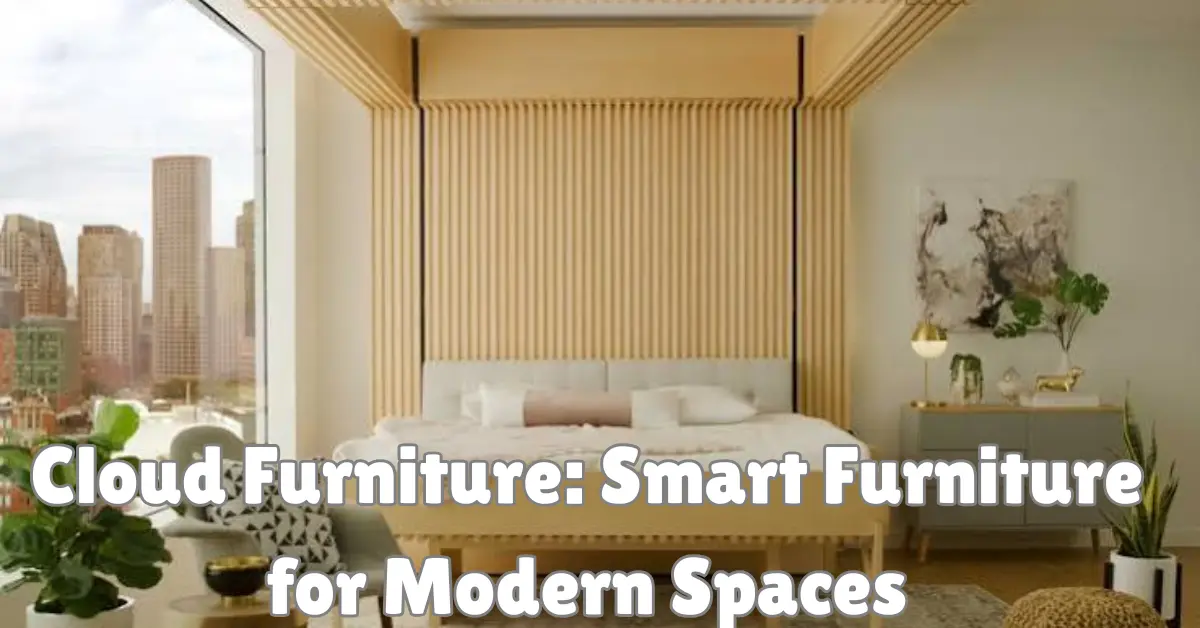
Cloud furniture is a broad term used for furniture that creates a soft, lightweight, modern, or highly comfortable look, and it can also describe furniture designed for technology-enabled homes and workplaces. Depending on the context, cloud furniture may include deep sofas, rounded lounge chairs, modular seating, ergonomic office furniture, adjustable desks, and connected workplace products.
The important point is that cloud furniture is not one formally defined furniture category. The word “cloud” is often used to communicate softness, flexibility, modular design, or a technology-friendly experience. That means shoppers should evaluate the actual construction, dimensions, materials, comfort, warranty, and features instead of buying based on a product name alone.
For readers interested in the technology side of modern environments, Sharpener Tech’s Cloud IT guide explains how cloud-based systems support digital services. In a smart office, those digital systems can work alongside physical furniture to create flexible workspaces, meeting areas, shared desks, and connected rooms.
This guide explains how cloud furniture works as a design concept, which types are most useful, how to compare materials and features, and what to check before spending money.
What Is Cloud Furniture?
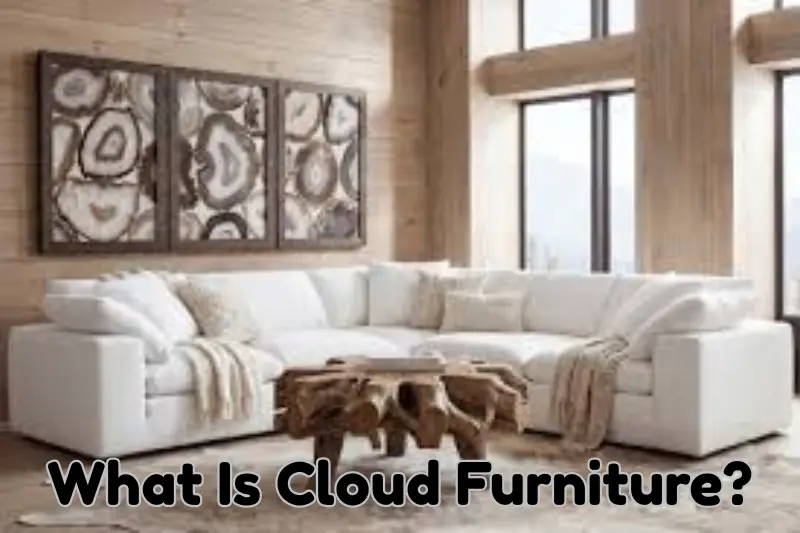
Cloud furniture generally describes furniture designed around softness, comfort, rounded shapes, modularity, or flexible use. A typical cloud-style sofa, for example, may use deep cushions, broad seats, low-profile construction, and generously padded surfaces to create a relaxed appearance.
The term can also appear in technology-focused workplace design. In that setting, cloud furniture may refer more broadly to furniture used within connected offices where desk reservations, room booking, occupancy information, lighting, or workplace resources are managed through digital systems.
This distinction matters because a cloud sofa and a smart office desk solve completely different problems. One focuses mainly on comfort and interior design, while the other may combine ergonomics, furniture design, power access, and digital workplace management.
Cloud Style vs Smart Furniture
Cloud-style furniture does not have to contain electronics. A deep modular sofa with soft cushions can fit the category even when it has no connected features at all.
Smart furniture is different. It may include built-in charging, power management, adjustable controls, sensors, or integration waabigwan mashkiki st cloud with workplace systems. Some products combine both ideas, but shoppers should not assume that every item marketed with “cloud” in its name is a connected product.
Why Cloud Furniture Has Become Popular
Modern rooms often need to perform more than one function. A living room may also serve as a study area, while an office may need individual desks, collaborative zones, video-call spaces, and informal seating within the same floor plan.
Cloud furniture fits this trend because modular pieces can often be rearranged more easily than traditional fixed furniture. A sectional sofa, for example, may be configured as a long sofa, an L-shaped seating area, or separate seating modules depending on the design.
Comfort is another major reason for its appeal. Rounded corners, soft upholstery, wide seats, and visually lighter shapes can make large pieces appear less rigid. However, appearance should never replace practical evaluation.
Before buying cloud furniture, check:
- Overall width, depth, and height
- Seat depth and seat height
- Frame and support materials
- Cushion construction
- Upholstery durability
- Removable or replaceable covers
- Assembly requirements
- Doorway and stair clearance
- Warranty terms
- Availability of replacement parts
Measurements are particularly important when shopping online. A sofa that looks compact in a staged photograph can occupy much more floor cloud 9 vapor space than expected once it arrives.
Main Types of Cloud Furniture
The cloud furniture category can cover several different furniture styles. Understanding the differences makes it easier to choose something that fits the room rather than simply following a visual trend.
Cloud Sofas and Modular Seating
Cloud sofas are probably the most recognizable example. They typically emphasize deep seating, thick cushions, low profiles, and soft upholstery.
Modular versions can be especially practical because individual sections may be rearranged. This flexibility works well in apartments, family rooms, entertainment spaces, and rooms where the layout changes occasionally.
A very deep sofa is not automatically comfortable for every person, however. Shorter users may find that their feet do not reach the floor comfortably when sitting against the backrest. Testing seat depth and back support is therefore more useful than judging comfort from cushion thickness alone.
Cloud Chairs and Lounge Seating
Cloud-style chairs usually follow the same visual principles on a smaller scale. Rounded arms, generous cushioning, curved backs, and soft fabrics can create an informal lounge appearance without requiring the floor space of a sectional sofa.
When comparing chairs, examine more than the exterior fabric. Frame stability, cushion density, back support, seat dimensions, and construction quality influence how the chair feels after regular use.
Desks and Technology-Friendly Workstations
In offices, cloud furniture can take a more functional direction. Height-adjustable desks, cable-management systems, monitor arms, integrated power access, and flexible workstation layouts can support people who regularly use computers.
The U.S. Occupational Safety and Health Administration recommends arranging computer workstations so users can maintain supportive, neutral positions. Its computer workstation guidance notes considerations such as back support, relaxed shoulders, supported feet, appropriate monitor placement, and keeping frequently used equipment within comfortable reach.
This is an important example of E-E-A-T-based product evaluation. Instead of claiming that a particular desk is “ergonomic” because the manufacturer uses that word, evaluate whether the furniture can actually be adjusted to the person using it.
Storage and Multipurpose Furniture
Modern cloud furniture can also include movable storage, modular shelves, side tables, ottomans, and furniture that performs several functions. An ottoman might provide seating, foot support, and hidden storage, for example.
Multipurpose pieces can be useful in smaller homes because they reduce the need for separate items. The benefit depends on execution, though. A complicated transforming product is not necessarily better than a simple, durable piece that performs one job well.
Cloud Furniture Comparison: What Should You Choose?
The right furniture depends on the room, users, available space, and expected frequency of use. A visually impressive sofa may be a poor choice for a compact room, while a basic adjustable desk may provide more practical value in a home office than an expensive connected workstation.
| Furniture Type | Main Purpose | Key Feature to Check | Suitable For |
|---|---|---|---|
| Cloud sofa | Relaxed seating | Seat depth and cushion support | Living rooms |
| Modular sectional | Flexible seating | Connector and module quality | Changing layouts |
| Lounge chair | Individual comfort | Back and seat support | Reading and relaxation |
| Adjustable desk | Computer work | Height range and stability | Home and office work |
| Smart workstation | Connected workspace | Compatibility and privacy | Modern offices |
| Storage ottoman | Seating and storage | Internal capacity and frame | Small spaces |
Do not compare cloud furniture only by price. Two sofas of similar size can use very different frames, suspension systems, cushion materials, upholstery, and construction methods.
A useful comparison should therefore calculate value over expected use. Paying slightly more for a replaceable cover, repairable component, or better-supported frame may make sense when the furniture will be used daily.
How to Choose Cloud Furniture for a Home
Start with the room rather than the product. Measure the available floor area, then consider walking routes, doors, windows, power outlets, heating or cooling equipment, and other furniture.
A practical technique is to mark the intended footprint on the floor with removable painter’s tape. If a sectional is listed as 280 cm wide and 110 cm deep, marking that rectangle gives a much clearer impression of its real scale than viewing a product image.
Check the Seating Dimensions
Overall dimensions and seating dimensions are different. A sofa can be very wide while offering less usable seating because thick arms consume a significant portion of the width.
Look for seat width, seat height, seat depth, back height, and arm height. These measurements help determine whether cloud furniture will support the way you actually sit.
Examine the Construction
Product descriptions should ideally identify the frame, upholstery, filling, suspension system, and major structural materials. Vague descriptions make meaningful comparison difficult.
If information is missing, ask the seller before purchasing. Useful questions include whether covers can be removed, whether individual modules can be replaced, what the warranty excludes, and whether replacement cushions or covers are available.
Think About Cleaning Before Buying
White, cream, and pale grey fabrics are common in cloud furniture photography because they reinforce the soft visual style. Real homes, however, have dust, food, spills, and everyday wear.
Check the manufacturer’s cleaning instructions before choosing upholstery. Removable covers can simplify some maintenance, but “removable” does not automatically mean machine washable. Follow the care label for the specific material.
Cloud Furniture for Offices and Digital Workspaces
Cloud furniture becomes particularly interesting when physical workplace design meets cloud technology. A modern office can combine adjustable desks, collaborative furniture, charging points, meeting spaces, and software that helps teams manage shared resources.
For example, a company could use a business cloud solution to manage desk reservations or meeting-room availability while employees use adjustable physical workstations. The furniture itself does not become cloud computing infrastructure. Instead, software and physical workplace design operate together.
Readers who want to understand that distinction can explore Sharpener Tech’s guide to modern cloud technology and its broader explanation of Cloud IT.
Ergonomics Still Matters More Than Technology
A desk with an app, sensor, or charging system is not automatically a better workstation. The physical setup still needs to suit the user.
OSHA’s desk guidance recommends sufficient workspace for computer components and enough clearance beneath the desk for comfortable positioning. It also notes that a monitor should generally be positioned directly in front of the user and at least 20 inches, about 50 cm, away where appropriate.
Chair adjustability is equally important. OSHA’s chair guidance emphasizes back support, suitable seat positioning, relaxed shoulders, and feet supported by the floor or a footrest.
These recommendations are more useful than relying on marketing labels such as “premium ergonomic cloud furniture.”
Smart Features, Privacy, and Cloud Security
Traditional cloud furniture creates few digital privacy concerns because it contains no connected technology. Smart furniture is different when sensors, user accounts, mobile applications, or cloud-connected workplace systems are involved.
An organization should understand what information a connected system collects and why it needs that information. Occupancy sensors, booking systems, employee accounts, and usage analytics can create data that requires appropriate access controls and retention policies.
Sharpener Tech’s Prevention Cloud guide discusses broader principles such as identity management, monitoring, access control, and secure configuration. These concepts become relevant when workplace furniture is part of a connected digital environment.
Questions to Ask Before Using Connected Furniture
For smart cloud furniture, determine whether the connected feature provides enough value to justify additional complexity. A USB charging port is straightforward, while an internet-connected workplace platform introduces more operational considerations.
Organizations should know who manages the system, what permissions users receive, how accounts are protected, how long information is stored, and what happens when the software is no longer supported.
This is an area where some furniture guides stop too early. Buying smart furniture is not only an interior-design decision. It can also become an IT management decision.
Common Cloud Furniture Problems and Troubleshooting
Cloud furniture can look simple, but common problems often appear after delivery or several months of use. Recognizing these issues early can prevent an unsuitable purchase.
The Furniture Looks Too Large
This usually happens when buyers rely on photographs instead of dimensions. Wide-angle photography and large staged rooms can make furniture appear smaller than it really is.
Measure the complete footprint before ordering. Include enough space for walking, doors, drawers, and nearby furniture rather than measuring only whether the item technically fits between two walls.
Cushions Lose Their Shape
Soft cushions naturally change with use, but the amount depends on construction and materials. Follow the manufacturer’s instructions for rotating or repositioning cushions where applicable.
If a cushion becomes uneven unusually quickly, check the warranty rather than attempting an unapproved modification. Construction defects and normal wear may be treated differently under warranty terms.
Modular Sections Move Apart
Some modular seating uses clips or connectors to hold sections together. If modules shift, check that all supplied connectors are installed according to the manufacturer’s assembly instructions.
The floor surface also matters. A sectional can behave differently on smooth flooring compared with carpet, so use only manufacturer-approved solutions that do not damage the furniture or floor.
A Smart Feature Stops Working
First separate the furniture problem from the technology problem. An adjustable desk, for example, may have a mechanical, electrical, controller, software, or power-related issue.
Follow the manufacturer’s troubleshooting process and warranty instructions. Avoid opening electrical components unless the manufacturer specifically states that the part is user-serviceable.
Cloud Furniture Myths Worth Correcting
One common myth is that cloud furniture always means smart furniture. It does not. The term is frequently used as a design description for soft, rounded, deep, or visually lightweight furniture.
Another misconception is that softer furniture is automatically more comfortable. Comfort depends on body size, sitting position, cushion support, seat depth, back support, and intended use. A very soft lounge sofa may feel excellent for relaxing but less suitable for upright work.
It is also inaccurate to assume that expensive cloud furniture automatically lasts longer. Price can reflect brand positioning, shipping, materials, design, manufacturing, or retailer margins. Construction details and warranty conditions provide better evidence of expected quality than price alone.
Finally, smart features should not be confused with good ergonomics. Connected controls can add convenience, but appropriate dimensions and adjustability remain essential for a workstation.
How to Maintain Cloud Furniture
Good maintenance begins with the manufacturer’s care instructions because fabrics, leather alternatives, wood finishes, metals, foams, and electronic components require different treatment.
Vacuum upholstered furniture where the manufacturer permits it, deal with spills according to the fabric instructions, and periodically inspect modular connectors and furniture legs. Avoid applying random cleaning chemicals because a product suitable for one material can discolor or damage another.
For adjustable or connected office furniture, keep cables arranged so they do not become trapped when the desk or furniture moves. Inspect power accessories for visible damage and stop using damaged electrical components until they can be properly assessed.
Cloud furniture that is cared for consistently will generally be easier to keep presentable than furniture that receives aggressive cleaning only after stains or wear become severe.
Frequently Asked Questions
What does cloud furniture mean?
Cloud furniture generally describes soft, comfortable, rounded, or modular furniture with a cloud-like visual style. In technology-oriented workplaces, the term can also be associated with flexible furniture used alongside connected office systems.
Is cloud furniture the same as smart furniture?
No. Cloud furniture can be completely non-electronic. Smart furniture specifically includes electronic, connected, automated, or digitally controlled functionality.
Is cloud furniture suitable for small rooms?
It can be, particularly when modular or multipurpose pieces are selected carefully. Deep cloud sofas can consume substantial floor space, so dimensions should always be checked before purchasing.
What should I check before buying a cloud sofa?
Check the overall dimensions, usable seat dimensions, frame, cushion construction, upholstery, cleaning requirements, module connectors, delivery access, warranty, and replacement-part availability.
Can cloud furniture be used in an office?
Yes. Adjustable desks, ergonomic chairs, collaborative seating, modular workstations, and technology-friendly furniture can all support flexible offices when they are selected according to actual user and workspace requirements.
Is smart cloud furniture secure?
Security depends on the specific connected system rather than the furniture label. Organizations using connected workplace technology should evaluate accounts, permissions, data collection, software updates, and vendor support.
Is expensive cloud furniture always better?
No. Price alone does not establish durability or comfort. Materials, construction, dimensions, repairability, warranty coverage, and suitability for the intended user are more useful comparison points.
Conclusion
Cloud furniture combines a modern design idea with the growing demand for comfortable and flexible spaces. It can describe everything from deep modular sofas and rounded lounge chairs to adjustable office desks and furniture designed for technology-enabled workplaces.
Choosing cloud furniture should start with practical evidence rather than appearance alone. Measure the room, compare seat and workstation dimensions, inspect construction details, understand care requirements, and read warranty conditions before purchasing. For office furniture, pay particular attention to adjustability and workstation ergonomics.
When technology is involved, treat the digital side separately from the physical furniture. A business cloud solution can support room booking, shared workspaces, or workplace management, while the furniture must still provide stability, comfort, accessibility, and appropriate dimensions.
The most useful cloud furniture is therefore not necessarily the softest, smartest, or most expensive option. It is the furniture that fits the available space, supports the people using it, provides appropriate durability, and performs its intended function without unnecessary complexity.
