

Introduction
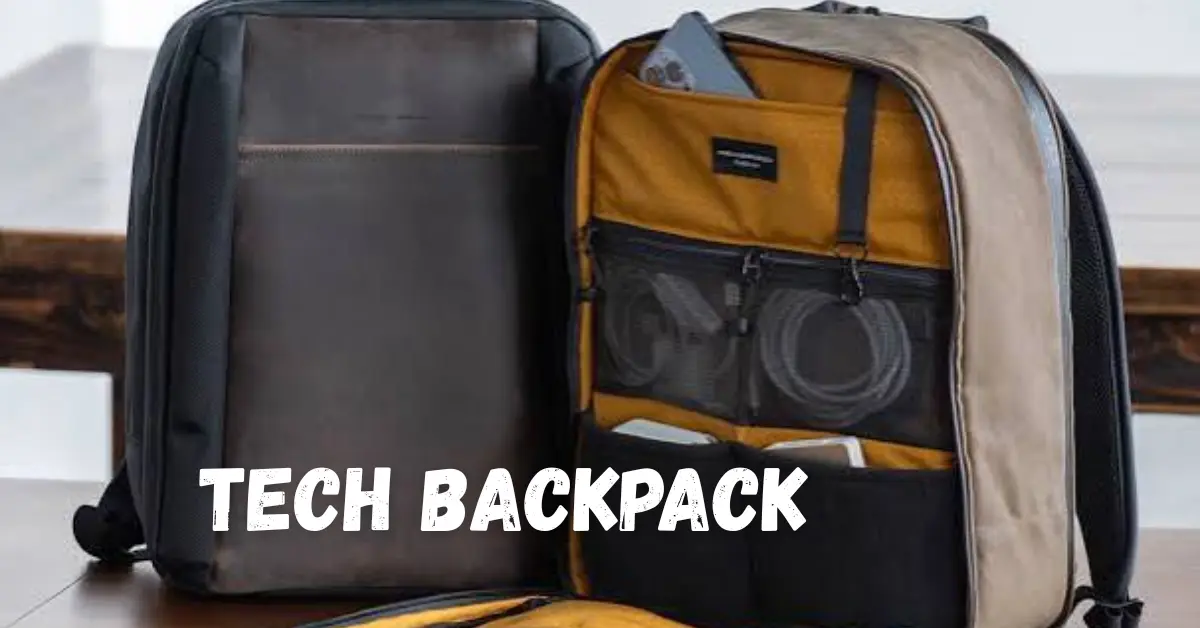
A tech backpack is designed to carry and protect modern devices such as laptops, tablets, smartphones, chargers, power banks, headphones, and other everyday technology. Unlike a standard backpack, it typically focuses on device protection, organized storage, comfortable carrying, and convenient access to accessories.
Choosing the right backpack depends on what you carry, how often you travel, and where you use it. A student may need a lightweight design with space for books and a laptop, while a professional may prioritize organization, durability, and a dedicated computer compartment. This guide explains the most important features to consider, common mistakes to avoid, and how to select a practical tech backpack for work, study, travel, or daily commuting.
What Is a Tech Backpack?
A tech backpack is a backpack specifically designed to transport electronic devices and their accessories safely and conveniently.
Typical features include:
- Padded laptop compartment
- Tablet sleeve
- Multiple accessory pockets
- Charger and cable organization
- Water-resistant materials
- Comfortable shoulder straps
- Reinforced construction
- Travel-friendly storage
- Quick-access compartments
The ideal design depends on the type and amount of technology you regularly carry.
Why Use a Tech Backpack?
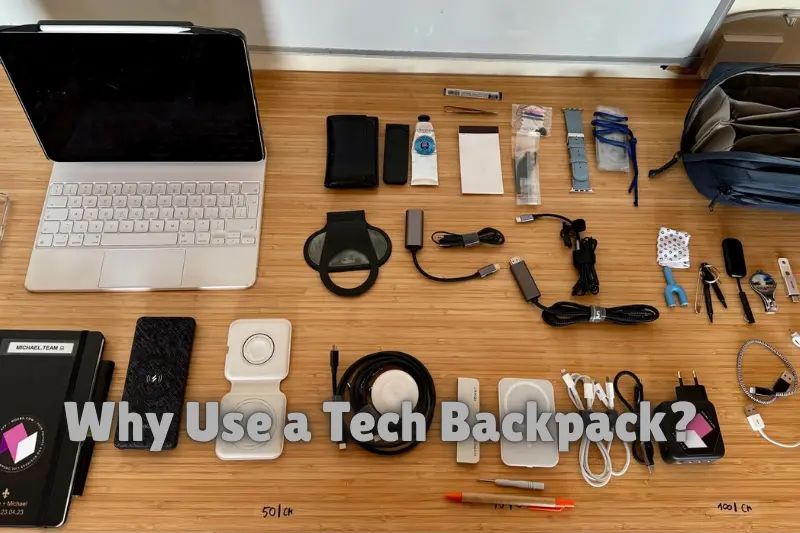
A well-designed tech backpack can make carrying multiple devices easier while reducing clutter.
Better Device Organization
Separate compartments help keep laptops, tablets, chargers, cables, and smaller accessories organized. This makes it easier to find what you need without emptying the entire bag.
Improved Device Protection
Padding around a laptop or tablet compartment can provide additional protection against everyday bumps and contact with other items.
Easier Daily Travel
A comfortable backpack distributes weight across both shoulders, making it practical for commuting, school, university, and work.
Convenient Cable Storage
Dedicated pockets can prevent charging cables, adapters, earbuds, and other accessories from becoming tangled.
Important Features to Consider

Laptop Protection
Check the laptop compartment dimensions before purchasing. The compartment should fit your device securely without excessive movement.
Storage Capacity
Consider everything you normally carry. A compact backpack may be suitable for a laptop and a few accessories, while a larger design may be more practical for work equipment and personal items.
Comfort
Look for padded shoulder straps and a supportive back panel. Comfortable carrying becomes particularly important when the backpack contains heavier equipment.
Material and Durability
Strong materials and quality stitching can improve durability. If you regularly commute outdoors, water-resistant materials may provide additional protection from light rain and moisture.
Organization
Multiple compartments can be useful, but excessive pockets may also make a backpack unnecessarily complicated. Choose an arrangement that matches your equipment.
Tech Backpack vs Traditional Backpack
| Feature | Tech Backpack | Traditional Backpack |
|---|---|---|
| Laptop protection | Usually specialized | May be limited |
| Cable organization | Usually better | Basic |
| Device compartments | Multiple | Often fewer |
| Work organization | Strong | Varies |
| Everyday versatility | High | High |
| Tech-focused design | Yes | Usually no |
A traditional backpack can work perfectly well for basic technology needs, but a dedicated tech backpack is generally more convenient for people who regularly carry several electronic devices.
How to Choose the Right Tech Backpack
1. Identify Your Devices
Make a list of the devices and accessories you carry regularly. Include your laptop, tablet, chargers, mouse, headphones, power bank, and other essentials.
2. Check Dimensions
Compare your laptop dimensions with the manufacturer’s listed compartment size. Do not rely only on screen size because laptop body dimensions can vary.
3. Consider Your Daily Routine
A commuter may prioritize comfort and weather resistance, while a traveler may prefer luggage compatibility and easy-access compartments.
4. Think About Weight
A large backpack can encourage you to carry unnecessary items. Choose a size that provides enough capacity without becoming unnecessarily heavy.
5. Check Build Quality
Inspect zippers, stitching, handles, straps, padding, and the bottom of the backpack before making a purchase.
Tech Backpack for Students
Students often need to carry technology alongside notebooks, books, stationery, and personal items. A suitable backpack should therefore balance device protection with general storage.
Useful features include:
- Dedicated laptop sleeve
- Tablet compartment
- Spacious main compartment
- Small accessory pockets
- Comfortable straps
- Durable construction
A moderate-size backpack is often more practical than choosing the largest available option.
Tech Backpack for Professionals
Professionals may prioritize a cleaner design, structured organization, laptop protection, and convenient access to chargers and documents.
For office commuting, look for:
- Padded laptop compartment
- Document storage
- Organized accessory pockets
- Comfortable back support
- Durable zippers
- Professional design
Tech Backpack for Travel
Travelers have different requirements. A useful travel-oriented backpack may include a luggage pass-through, secure compartments, easily accessible pockets, and enough space for essential technology.
Before traveling, check airline baggage requirements rather than assuming a backpack qualifies as a personal item or carry-on.
Common Mistakes to Avoid
Buying the Wrong Size
A backpack that is too small may not fit your equipment, while an unnecessarily large backpack can become uncomfortable.
Ignoring Laptop Dimensions
Always verify the actual laptop compartment dimensions instead of assuming that a stated screen size guarantees compatibility.
Prioritizing Appearance Over Function
A stylish design is useful, but protection, comfort, storage, and durability should come first when carrying expensive electronics.
Carrying Too Much
Even a high-quality backpack can become uncomfortable if overloaded. Carry only what you regularly need.
Forgetting Weather Protection
If you frequently commute outdoors, consider water-resistant construction or a suitable rain cover.
Frequently Asked Questions
What should a good tech backpack have?
A good tech backpack should provide suitable laptop protection, organized storage, comfortable straps, durable construction, and enough space for your everyday devices. Additional features such as water resistance, quick-access pockets, and travel compatibility can be useful depending on your routine.
Can a tech backpack protect a laptop?
A padded laptop compartment can provide additional protection from everyday bumps and movement. However, no backpack guarantees protection from significant impacts, so users should still handle electronic devices carefully and avoid placing heavy objects directly against them.
What size tech backpack should I choose?
Choose a size based on the devices and items you regularly carry. Check your laptop’s actual dimensions and compare them with the backpack’s internal compartment measurements. Avoid choosing a much larger backpack simply because it offers more capacity.
Are tech backpacks suitable for travel?
Yes. Many tech backpacks are designed for commuting and travel, with organized compartments for electronics and accessories. Features such as luggage pass-throughs and quick-access pockets can be helpful. However, travelers should always check the baggage rules of their specific airline.
Is a water-resistant tech backpack worth it?
For people who regularly commute outdoors, water-resistant materials can provide useful protection against light rain and accidental spills. Water resistance is not necessarily the same as waterproofing, so check the manufacturer’s specifications when stronger weather protection is important.
Conclusion
A tech backpack can make carrying laptops, tablets, chargers, cables, and other electronics more organized and convenient. The best choice depends on your devices, daily routine, storage requirements, comfort preferences, and travel needs.
Before purchasing one, check the laptop compartment dimensions, evaluate the storage layout, inspect construction quality, and consider how much equipment you actually carry. Choosing based on practical requirements rather than appearance alone will help you find a backpack that works reliably for everyday technology.
